Tabor1.1
Continue to app
Free Version
Publisher Description
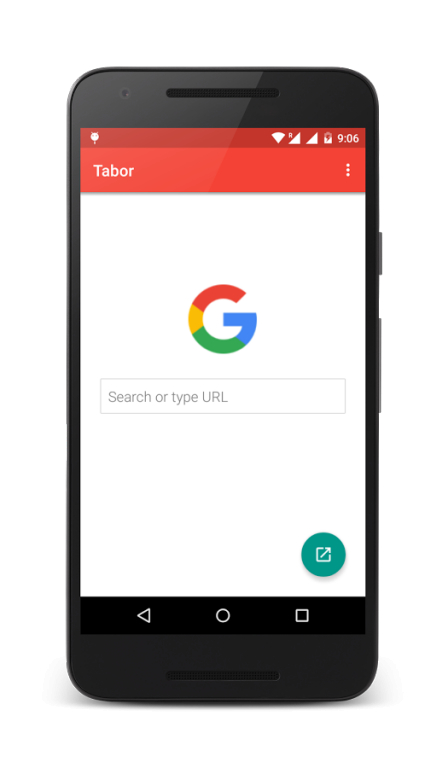
provides a fast, integrated, and familiar web experience than other web browsers. Tabor uses Google Chrome's latest feature custom tabs. With light weighted Tabor you can open web links inside using app with out leaving the app.
Main Features
★ Google Chrome's custom tab used.
★ Multiple search engines- Google, Ask, Bing, Yahoo, Baidu, Yandex, Start Page.
★ Search Suggestions support by Google
★ Material design support
★ Easy customization.
★ Light weight app.
What are Chrome custom tabs?
Chrome custom tabs give apps more control over their web experience, and make transitions between native and web content more seamless without having to resort to a WebView.
Chrome Custom Tabs allow apps to
pre-load
, cutting the time it takes to load a webpage in half.
Custom tabs benefit from Chrome’s advanced security features, including its
multi-process architecture
and robust permissions model.
Following are the features of Chrome custom tabs:
- saved passwords (No need to login to websites again),
- auto-fills the form,
- Tap to Search,
- Synchronized AutoComplete,
- Chrome's data saver feature
How to use?
Chrome custom tabs is now generally available to all users of Chrome 45, So install the latest Chrome (45 or above) and
set Tabor as default browser (Through Setting). That's it experience the ultra speed web experience with Tabor.
About Tabor
Tabor is a free app for Android published in the System Maintenance list of apps, part of System Utilities.
The company that develops Tabor is OMG Mobility. The latest version released by its developer is 1.1.
To install Tabor on your Android device, just click the green Continue To App button above to start the installation process. The app is listed on our website since 2015-12-30 and was downloaded 9 times. We have already checked if the download link is safe, however for your own protection we recommend that you scan the downloaded app with your antivirus. Your antivirus may detect the Tabor as malware as malware if the download link to com.bloggingfeed.taborbasic is broken.
The company that develops Tabor is OMG Mobility. The latest version released by its developer is 1.1.
To install Tabor on your Android device, just click the green Continue To App button above to start the installation process. The app is listed on our website since 2015-12-30 and was downloaded 9 times. We have already checked if the download link is safe, however for your own protection we recommend that you scan the downloaded app with your antivirus. Your antivirus may detect the Tabor as malware as malware if the download link to com.bloggingfeed.taborbasic is broken.
How to install Tabor on your Android device:
- Click on the Continue To App button on our website. This will redirect you to Google Play.
- Once the Tabor is shown in the Google Play listing of your Android device, you can start its download and installation. Tap on the Install button located below the search bar and to the right of the app icon.
- A pop-up window with the permissions required by Tabor will be shown. Click on Accept to continue the process.
- Tabor will be downloaded onto your device, displaying a progress. Once the download completes, the installation will start and you'll get a notification after the installation is finished.
Program Details
System requirements
Operating systems
Android
Download information
File size
N/A
Total downloads
9
Pricing
License model
Free
Price
Version History
Here you can find the changelog of Tabor since it was posted on our website on 2017-01-23. The latest version is 1.1 and it was updated on Soft112 on 07 October, 2026. See below the changes in each version:
version 1.1
posted on 2015-12-30
Version 1.1,* Jelly Bean support added.,* Introducing Search Engine feature, now its easy to use Google, Ask, Bing, Yahoo, Baidu, Yandex, Start Page,search engines with Tabor. (available in Settings),* Home screen is customized with search engine logo and new URL bar.,* Fixed minor issues.
